Credits
- Code — NoRecess
- Graphics — Ced
- Music — Tom et Jerry
Credits as listed on Pouet.
This demo is based on a single effect : an advanced animation player. It features delta-packing with per-pixel precision with antialiasing. It required a special version of Exomizer (packer) as also writing a custom toolchain PC-side to generate data. The demo has been built using PhrozenC compiler, and completely created under my own IDE.
The algorithm explained
Phreaks is a demo based on a unique effect : an animation sequence player. Many people asked me to explain the whole process of creation behind it. This article shows the different development steps involved in it (and the logic behind). Hopefully, it will make you realize that behind a demo, there is often a huge amount of work to provide - and no, it’s not that easy to make it, even if it’s supposed to be a simple animation player…
Written at the time of the release, and kept as it was written.
The origin
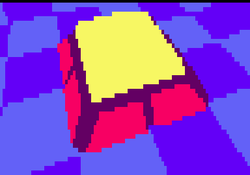
Everything started from a previous production I did called Phat 2. This demo also featured an animation player like found in Phreaks, its principle was fast and easy to implement. Unfortunately, it was visually unpleasant because it was based on blocks - so resolution was quite big.
Technically, each frames of animation were stored in a separate buffer. The texture data was actually a combination of PUSH BC, PUSH DE, PUSH HL, PUSH AF and EXX opcodes. Each frames were separately packed with Team Bomba’s BitBuster V1.2 packer. Then the player itself running on Amstrad CPC was unpacking a frame of the animation and executing the opcodes to display it to the screen.
Improvements over Phat 2
When Phat 2 got released, many people asked me how I did it. Quickly, I realized that my approach - while good - was not pushing limits. There were rooms for enhancements. I have a personal rule for demos : don’t do or reuse the same effect two times. So I knew that the next area to improve was memory management (to store much more frames) but also, the visuals had to be improved by using a bigger resolution (at this time, I was still thinking about a block-based solution visually, but with smaller blocks). And then I started to prototype the thing…
The data
First, I had to find data. I intially thought making it from scratch - frames by frames, I could produce deformations on logo under the excellent Paint.net graphical tool. I did first tries, but it was not convincing, and I knew people was waiting for dancing people. So I finally started searching over the net for suitable data to use for a demo. Then Apple (and its adverts) made my day, thanks to them I found this video on YouTube :
While not being the best video I ever seen, I thought that the different animation steps in it could provide an interesting result. I knew I had to stick with it and focus on the best replay for the Amstrad CPC.
Raw-data conversion
I had to use a YouTube video downloader. The one I used is SaveVideoDownload, but I don’t recommend it and I don’t provide links as it seems to be the kind of browser extensions that do actually much more that it actually pretends - I suspect it to install spywares etc. Still, it did the job and got .mpg video of the whole video.
Once I had the video, I had to use a bitmap extractor : for each frames of the .mpg video, I wished to get a list of .bmp files. I used VideoLAN Player (VLC) for that process. I don’t remember the exact steps I did using the software, but I know I had to use tricky settings (and codecs ?) to get it working as expected - the only thing that matters here is to know that the process of bitmap extraction is possible with it.
I did clean-ups in the frames - sorting between thousands of bitmaps is definitively a long process !
I then used IrfanViewer tool to reduce each frames to 2 colors and resize them to 768 x 205 resolution (which is my preferred “wide-screen” resolution for the CPC - here using video mode 2).
Finally, I loaded each frames under Paint.net tool and added a blur effect on top of them. It was an important process because each frames have been resized and came from original MPEG compression, giving as sad consequence many artifacts around the character. This blur effect rounded the character. When the blur was applied, it unfortunately added new colors to the image, so once again I had to reduce the colors to 2 - all these steps have been done manually (no batch processes available in the tool for that), so it was really a quite painful process to accomplish (took me lots of time while needing lots of concentration and focus).
After days of work (yes..) I had my data up and ready to be converted by my custom tools…
Bitmaps to animation data (Phat 2-minded)
My first approach was the most basic one - packing a whole screen of data with Exomizer, then uncompress it during runtime. I used Amstrad CPC’s video mode 2, which provides the best resolution possible. While visually impressive when being executed on Amstrad CPC, it was very slow and taking so much RAM - it basically took 3 complete banks of extended RAM (17Kb x 3). It was unusable as is, and first thought doing an animation player with such a big resolution was something I just could not get into it. But I persevered…
Bitmaps to animation data (scanline-based)
I knew I ultimately wished a per-pixel based precision. So I quickly thought about using horizontal scanlines for storing my image data. For each lines of the image, I stored a list of X1 and X2 integer values (the edges of a line), describing horizontal lines. Once compressed with Exomizer, I got much better results than the previous algorithm - it ended to be 2 times better in term of memory usage, but still really slow at execution.
Overflow - which has been a great support during all the process of the demo - advised me at this time to use pixel inversion. Using that trick, I only had X1 positions, X2 being a switch between pixel display on / off. While better memory-side, it was still too big in memory - about 30Kb for a single animation.
I did many little tweaks in my data format to gain memory but it was definitely not ready for prime-time.
Bitmaps to animation data (using delta-packing, Phat 2-minded)
Then there was that thing that everyone pointed me out after Phat 2 release : delta-packing. The process consists to display the first frame of the animation completely, then for the next frame only change pixel state for the ones that changed. To obtain this, I spent some times rewriting my tools to generate corresponding data. At this time I decided to switch back to a block-based effect a la Phat 2 for it. The result after 2 weeks of work was simply amazing : it was fast, and the same animation sequence I used from the beginning was under 17Kb. At this state of development, I realized I was able to store something like 2 times the content of Phat 2 demo in CPC memory !
But my aim was to make something visually better than Phat 2 so I had now to think about improving the resolution…
Bitmaps to animation data (using delta-packing, Phat 2-minded with improvements)
Then I started to improve the current algorithm. I decided to use a special codification of all these blocks that were visually left plain or empty - let’s say a group of blocks like 8x8 would actually be stored as a 1x1 block under a special unique identifier. For each frames, I also did a list of sprites that would be displayed around all the “blockish” character drawn on the screen. I introduced many tweaks to generate a better compressed data with Exomizer, and the results were quite convincing. The animation sequence that took 3 banks of RAM at the beginning now took 14Kb for the same visual - to me, that was impressive.
This was the time where I clearly had the process of creating a demo based with this algorithm in mind. It was still based on Amstrad CPC’s video mode 2.
Reorganizing the animation data (using custom version of Exomizer by Hicks/Vanity)
At this time, I noticed that Exomizer provided better results when dealing with a big, linear single buffer instead of multiple small ones. I wished to modify current Exomizer implementation to support source-buffer change on the fly. Think about the case where I have an animation sequence taking 30 Kb of memory when compressed, it could be nice to get that buffer stored inside the separate extended banks of RAM (which sizes 17Kb).
I was discussing with Hicks/Vanity about my very special need concerning Exomizer, and he kindly agreed to write such a routine. Once received his work, and after some bug fixings, the routine was fully integrated into the demo. As planned, data was reduced even more so the initial 14Kb animation now took 11Kb !
Bitmaps to animation data (the real Phreaks’s algorithm, finally !)
Many days were going on - I just needed some time to relax. But I was still thinking about a better way to improve the data size. 11Kb for my unit-test was OK, but a demo would be hardly doable with such a big data. Then one day I got the idea. Basically, the effect is still block-based. For each frames, I used a list of sprites to describe pixel-precise blocks. I told to myself : why not analyzing all the images composing the whole animation sequence, and then creates a list of sprites shared all along the animation ? So I did.
I updated my tools for that process. I had hard-times finding the optimal resolution of sprites : if sprites were too big, it ended having an infinite list of different sprites, if sprites were too small it ended with too many sprite indices to store in data. The optimal size for sprites I found was 2x5. While I was not confortable with that sprite resolution when using Amstrad CPC’s video mode 2, it became suddenly attractive to use video mode 0, a byte of VRAM representing 2 pixels.
It finally ended that for my test-animation sequence, 108 unique tiles was necessary. So it allowed me to store tile indices in a single byte, that was also a pretty good news. Once again, I had to tweak my data format to get better results when compressed with Exomizer. The result : the animation used only 6Kb of memory.....
The big failures regarding compression
On top of all this work I tried to introduce tile’s horizontal/vertical swap. I had 2 bits somewhere when referencing a tile to get that info. It created smaller raw-data, unfortunately it ended as a worst compression from Exomizer than doing nothing.
Also, I found out that all the code related in having a special treatment for full / empty blocks was less efficient than using a simple sprite for it, once compressed. It was good news memory-side, but I spent so many times tweaking this that I was disappointed having done so much work around it for… nothing.
Finally, from the many tweaks I had to deal with, I found out that storing list of pixels ON/OFF was not efficient - I had better success in thinking with pixel reversions : if pixel is ON, then it gets OFF (and vice versa).
Going further with the rendering : anti-alias support
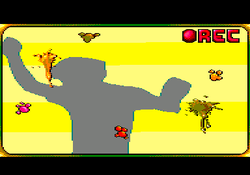
I initially thought anti-alias support would be obvious for many people, but it seems that only few people really got the catch :) So it needs some explanations.
It’s not a post-effect done once the whole frame is rendered. It would be quite slow to execute and would probably eat so much memory I don’t even want to think about it :)
So now the dirty secret : as described in this article, the effect is tile-based. It was not a random decision for me to use a width of 2 pixels for tiles. As a consequence, for an horizontal line of tile, there are 4 possible configurations : PIXEL OFF + PIXEL OFF, PIXEL ON + PIXEL OFF, PIXEL OFF + PIXEL ON, PIXEL ON + PIXEL ON. In Phreaks demo, it gets respectively translated to 0 + 0, 1 + 0, 0 + 1, 2 + 2 (0, 1 and 2 being palette indices). 1 + 0 and 0 + 1 are always used at begin / end of line. Think about it : it visually fakes an anti-alias effect !
Going further with the rendering : reverse-mode support
Reverse-mode is the fact to display the animation with all pixels flipped horizontally. This trick adds some kind of variation to the visual effect. In Phreaks demo, this is accomplished by reversing all tiles horizontally (so basically, PIXEL ON + PIXEL OFF becomes PIXEL OFF + PIXEL ON, and PIXEL OFF + PIXEL ON becomes PIXEL ON + PIXEL OFF - which can be executed pretty fast thanks to using Amstrad CPC’s video mode 0 !). Additionally to that, when displaying an horizontal line of tiles, the position has also to be reversed (“X = screenwidth - X”).
Conclusion
In the end, it took me 4 months of work to get the animation sequence working as expected. It was quite exciting to think the ultimate data format was found, then finally coming back few days later with new, better ideas.
As you see, the process of generating the data was a big one. That’s often what people does not realize when watching a demo. Actually, I’m pretty proud of all the whole work I did around it, even the failures, even considering all the required steps to get the final result. I really pushed the limits I thought I was able to do with the Amstrad CPC. The best thing I like to think about is that such data could not be generated when using original Amstrad CPC, it involves too much processing, too much data - it’s really 2011 in my mind. And that’s why sticking on Amstrad CPC machine is so interesting…
Hope you will now consider Phreaks demo as a real improvement in the (small) world of CPC demos! :)
YouTube :

Slideshow
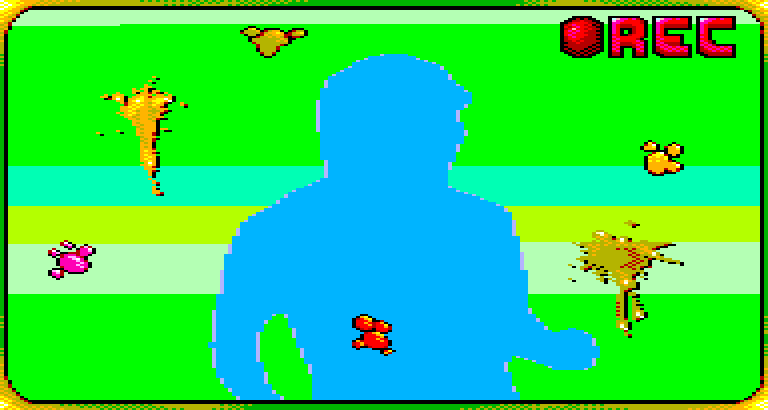
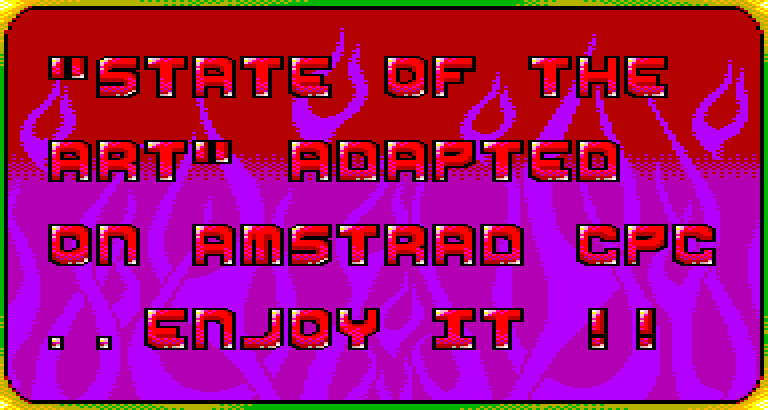
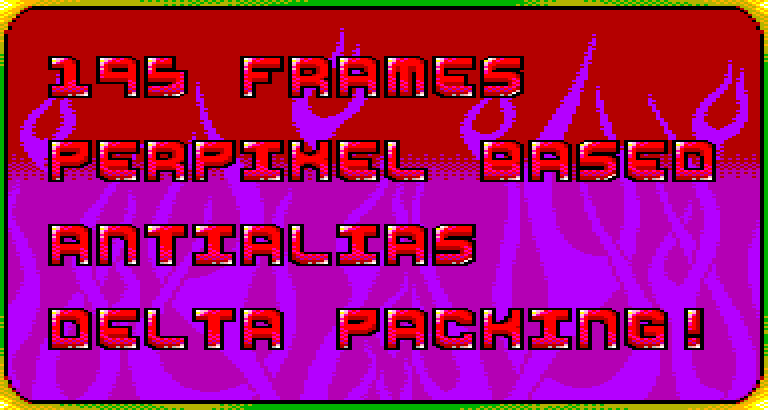
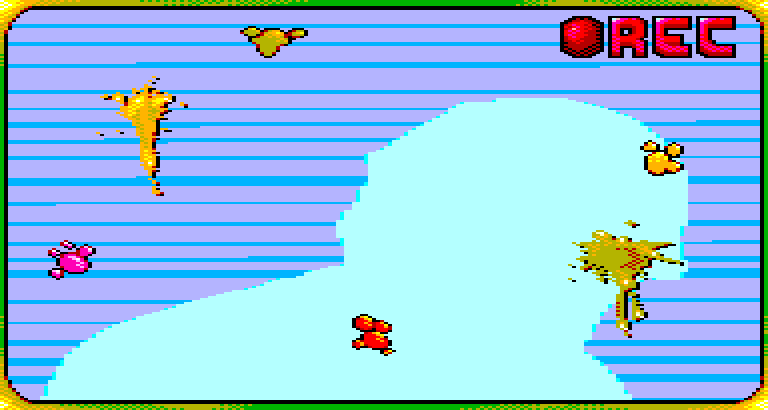
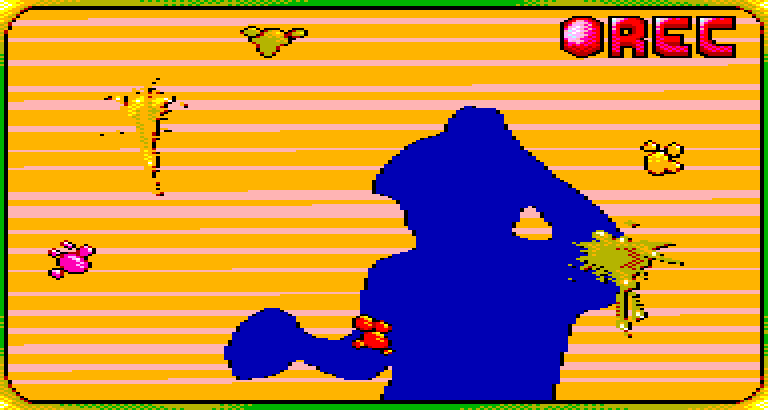
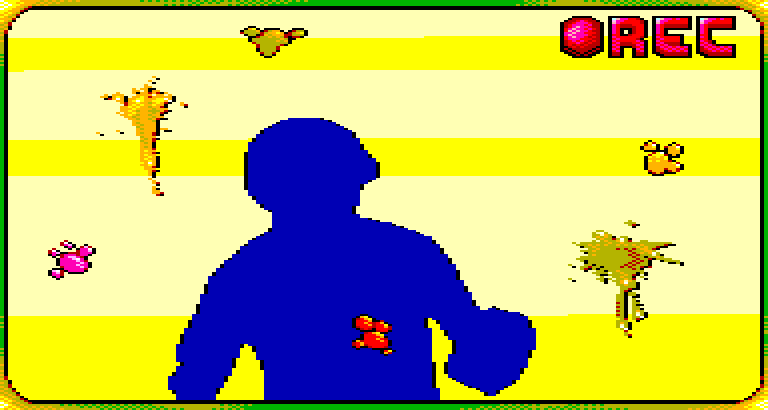
Eight stills, captured from the release disc image.

Comments from Pouet
The comments below were left on Pouet.net about Phreaks. They are quoted as they were written. Copied from that page on 17 August 2026.
Nice BASIC demo xD (No, really, guys, the demo is cool!)
— Devilmarkus, 2010-12-16 · rulez
Youtube link : http://www.youtube.com/watch?v=N7o4sDbSQmg
— norecess, 2010-12-16
Cool! Anims are slow. I like the antialiasing.
— Optimus, 2010-12-16 · rulez
meh
— kusma, 2010-12-16
Nice demo! But S.O.T.A. fans like me will always prefer dancing girls!
— ham, 2010-12-16
Nice job!
— Soundy, 2010-12-16 · rulez
technically cool i guess, designwise meh, music is annoying. Piggie
— shock__, 2010-12-16
Just to explain a little bit.. The major thing to retain in this prod is not the FX itself ; it’s relatively trivial and everyone with some Z80 knowledge would be able to accomplish the same. No, the real thing is the number of UNIQUE frames, which is 195. Think about it : Amstrad CPC has 128Kb, remove 40Kb for video-memory (with the special resolution I use), remove 8Kb for the music (and its player), remove another 6Kb for the sprites displayed on top of the FX, then remove once again another 5Kb for the background, another 5Kb for the font, another 11Kb for the code itself… Let’s calculate… we have 53Kb free. So the 195 frames are packed in 53Kb. 20 frames is super easy to manage ; 50 frames : you need a good data structure then.. 195 frames is kind of big numbers here. Hope you realize that :)
— norecess, 2010-12-17
Nice
— Buckethead, 2010-12-17 · rulez
195 frames or not, this is pretty boring. basically, what kusma said.
— StingRay, 2010-12-17
Show all 26 commentsShow fewer comments
Actually, the prog displays a single effect during its whole demonstration but i really like the anti-aliasing of the frames. Design is nice; same goes for the tune. Congrats to all involved; you managed to release (another) nice product for CPC just before the fall of 2010! Well done guys!
— voxy, 2010-12-17 · rulez
Well done, you did it in the right time… What Stingray said ” it’s a pretty boring.” Graphics and music don’t suit this demo.
— Beb, 2010-12-17
The visuals are boring, maybe you should have taken some wacky swirls or zoomer instead. The music is very nice though.
— Exin, 2010-12-18 · rulez
well, why not?!
— ɧ4ɾɗվ., 2010-12-18 · rulez
for the player
— Shazz^TRSi, 2010-12-18 · rulez
The design is really… horrible. Ok for the perf, 195 frames in 53kb, but I must admit that “animations” are not my cup of tea (cf. Phat 2)…
— Hicks, 2010-12-18
The technical achievement is definitely worth a thumb up! The animations seem a bit disconnected from the music though.
— Rouquemoute, 2010-12-19 · rulez
Phreaks would have been an awesome demo if Condense hired a designer…
— toms, 2010-12-20
watchable
— comankh, 2010-12-20
+ generally positive feelings + nice packing - slow depacking & drawing for 4 mhz
— Skate, 2011-01-08 · rulez
video please?
— guardian ٩๏̯͡๏۶, 2011-01-08
@Guardian: Youtube.
— Gʀɪʍʍy, 2011-01-09
Nice demo.
— Octoate, 2011-03-21 · rulez
Models of the animation are not my kind of stuff but 195 frames of this size is not usual on CPC, I guess.
— Eldrik, 2012-04-15 · rulez
Thumb up for the technical achievement. However, it would be far better (beauty and speed) too see with a cleaner design. I’m looking forward to a new demo
— krusty, 2012-04-15 · rulez
good work norecess!
— guardian ٩๏̯͡๏۶, 2013-03-04 · rulez